
The fastest pitch detection app for iPhone and Android isn’t in the App Store or Google Play — it’s this page. Open it in Safari (iPhone) or Chrome (Android), allow microphone access, and you have a full pitch detector running in under 10 seconds with zero installation, zero storage used, and zero cost.
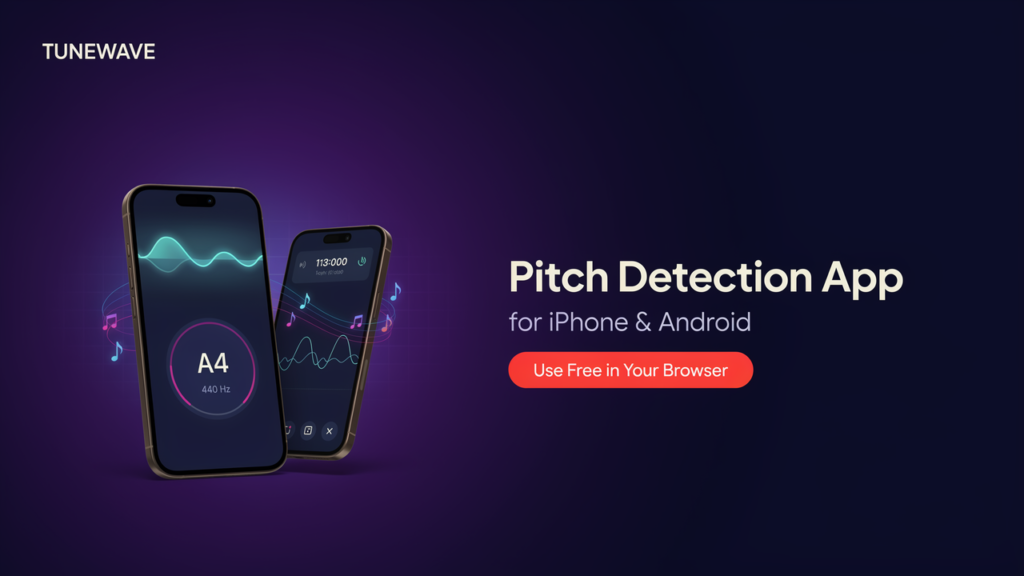
The browser-based tool at the top of this page works identically to a native app on mobile. It detects your pitch in real time, shows the note name and octave, displays your frequency in Hz, and measures your cents deviation from perfect tuning — all using your phone’s built-in microphone, processed locally on your device with no audio sent anywhere.
If you need a native app with offline access or session recording, the iOS and Android app reviews further down this page cover the best options. But for most singers, the browser tool is all you need.
How to Use the Pitch Detector on iPhone (Safari)
- Open this page in Safari on your iPhone — Chrome on iOS has microphone limitations in some versions, so Safari gives the most reliable experience
- Tap Start and tap Allow when Safari asks for microphone permission
- Sing, hum, or play into your phone’s microphone — hold it 15–20 cm from your mouth
- The display shows your note name, Hz value, and cents deviation in real time
- To save the tool for quick access: tap the Share button in Safari → Add to Home Screen — it launches like a native app from your home screen
iPhone microphone tip: The iPhone’s built-in microphone is positioned at the bottom of the device. Hold the phone portrait with the bottom edge near your mouth for the cleanest signal. Using AirPods or wired earbuds with an inline mic also works well and reduces room noise interference.
How to Use the Pitch Detector on Android (Chrome)
- Open this page in Chrome on your Android device
- Tap Start and tap Allow when Chrome asks for microphone permission
- Sing or play into your phone’s microphone — hold it 15–20 cm from your mouth
- The display shows your note name, Hz value, and cents deviation live
- To save for quick access: tap the three-dot menu in Chrome → Add to Home Screen — creates a shortcut that opens like an app
Android microphone tip: Most Android phones have multiple microphones — the primary one is typically at the bottom. Speaking or singing toward the bottom edge of the phone while holding it portrait gives the clearest signal. Avoid covering the microphone port with your hand while holding the device.
What the Mobile Pitch Detector Shows You
The tool displays the same data on mobile as on desktop — optimized for a touch interface:
- Note name and octave — the exact musical note you’re producing right now (e.g., A4, C#3, Bb5), updated in real time at ~60 frames per second
- Frequency in Hz — the raw vibration rate your voice or instrument is producing
- Cents deviation — how many hundredths of a semitone you’re above (+sharp) or below (−flat) the center of the note. To understand what this means practically, see the guide to what cents mean in music tuning
- Pitch stability score — how consistently you hold a note, measured as a percentage. Above 85% means solid breath support and good vocal cord consistency
For a scrolling pitch curve that shows your intonation history over time — useful for vibrato and phrase-level analysis — use the voice pitch analyzer on mobile, which also works fully in Safari and Chrome.
Browser Tool vs Native App on Mobile — The Real Difference
Most singers who search for a pitch detection app assume they need to install something. In practice, the browser tool and a native app use the same pitch detection algorithm (autocorrelation or YIN via the Web Audio API), the same microphone hardware, and produce the same accuracy. The meaningful differences are narrow:
| Feature | Browser Tool (this page) | Native App |
|---|---|---|
| Installation required | No — opens instantly | Yes — App Store / Play Store |
| Works on iPhone | Yes — Safari | Yes |
| Works on Android | Yes — Chrome | Yes |
| Storage used on device | 0 MB | 20–100+ MB |
| Cost | Free, no paywall | Free to paid |
| Offline use | After first load | Full offline |
| Session recording | No — use Audio File Pitch Detector | Some apps yes |
| MIDI export | No | Nail the Pitch: yes |
| Privacy | All local, no upload | Varies by app |
| Add to home screen | Yes — works like an app icon | Native icon |
The only situations where a native app gives you something the browser tool genuinely can’t match are: full offline use with no initial page load, in-app session recording with playback, and MIDI export for songwriting. For everything else — real-time pitch feedback during practice — the browser is equivalent. For a detailed side-by-side analysis, see online vs app: why a browser pitch detector is enough.
Best Native Pitch Detection Apps for iPhone (iOS)
If you specifically want a native iOS app installed on your iPhone, these are the best options currently available:
Nail the Pitch — Vocal Monitor (iOS and Android)
The most capable cross-platform option. Nail the Pitch provides real-time pitch tracking with note names and frequency, records your singing, and exports melodies as MIDI files — making it useful for practice and songwriting together. Accuracy is high and the interface is clear. Available on both App Store and Google Play.
Best for: Singers who want recording capability and MIDI export alongside real-time pitch detection.
Pitch Checker (iOS)
An iPhone-specific app with frequency display, waveform visualization, and adjustable sensitivity. The waveform view gives a visual sense of tone quality alongside pitch accuracy, which makes it useful for vibrato analysis and identifying breath support issues. More detail than simpler apps but not overwhelming.
Best for: iPhone users who want detailed pitch and waveform data in a native app.
Singscope (iOS)
A clean, beginner-friendly pitch visualizer with a simple graph display. The free version covers basic pitch tracking clearly without technical complexity. Good entry point for singers who are new to visual pitch feedback and don’t need advanced features.
Best for: iPhone beginners who want simple, readable pitch feedback with no learning curve.
Vocaberry (iOS and Android)
Focused on vocal identity rather than moment-to-moment accuracy. Vocaberry identifies your vocal range and voice type, then suggests songs that suit your range. More useful for exploration and repertoire selection than for intonation training.
Best for: Singers figuring out their voice type and looking for song recommendations matched to their range.
Best Native Pitch Detection Apps for Android
Nail the Pitch — Vocal Monitor (iOS and Android)
Same as the iOS version above — cross-platform with recording and MIDI export. The best all-around option if you want a feature-complete native app on Android.
Best for: Android singers who want recording, MIDI, and real-time pitch detection in one app.
Vocal Pitch Monitor (Android)
A lightweight free Android app displaying a real-time 7-octave pitch graph. Records and plays back practice sessions. No complex settings or learning curve — open and it detects immediately. Lacks the detailed cents display of more advanced tools but covers the basics reliably and costs nothing.
Best for: Android singers who want a free, no-setup native app for straightforward pitch feedback.
Mobile Pitch Detection Tips — Getting Accurate Readings on Phone
Phone microphones are capable of accurate pitch detection but they’re more sensitive to environmental conditions than studio microphones. These adjustments make a significant difference:
Distance matters more on mobile. Phone microphones are very sensitive — singing directly into them at close range causes clipping (audio overload) that produces inaccurate readings. Hold the phone 15–20 cm from your mouth and sing at a natural volume rather than projecting hard.
Quiet room, clean signal. Background noise is the biggest cause of unstable mobile pitch readings. A room with soft furnishings (bedroom, practice room) reduces echo and ambient noise. Even a modest improvement in room noise floors accuracy significantly. The noise and background interference guide covers the specific causes and fixes.
Wired earbuds improve results. The inline microphone on a wired earbud headset sits closer to your mouth, picks up less room noise, and avoids the phone’s proximity to other electronic interference. Most iPhone and Android earbuds work immediately with the browser tool.
Avoid Bluetooth microphones for real-time pitch work. Bluetooth audio introduces 100–300ms of latency due to codec processing — enough to break the real-time feedback loop that makes pitch training useful. For live practice, use wired input or the phone’s built-in mic.
Keep the mic port clear. Phone microphone ports are small and easily covered by a finger while holding the device. Check that your grip isn’t blocking the microphone, especially on bottom-ported phones.
Hold notes for 2–3 seconds. Fast notes and running phrases don’t give the algorithm enough sustained signal for a stable reading. For accurate pitch data, sustain each note you want to check for at least 2 seconds.
For broader guidance on microphone selection and setup for pitch training sessions, see the best headphones and mics for pitch training guide.
What to Do After Finding Your Pitch on Mobile
Reading your pitch in real time is the starting point. Here’s where to go next depending on what you discover:
If your pitch is jumping around unpredictably → read why does my pitch detector give unstable readings and pitch detector not working in noisy rooms for targeted fixes.
If you want to know your voice type → use the vocal range test online — works fully on mobile in Safari and Chrome.
If you want a scored accuracy assessment → use the pitch accuracy checker for a session score showing how precisely you’re hitting target notes.
If you want to see your pitch as a curve over time → use the voice pitch analyzer which shows vibrato, drift, and phrase-level intonation on a scrolling graph.
If you want to analyze a recording you already made → use the audio file pitch detector — upload any MP3, WAV, or M4A from your phone’s camera roll.
If you want to find what note a sound is → use the note finder or singing note detector — both work on mobile.
Frequently Asked Questions
Is there a free pitch detection app for iPhone? Yes — open this page in Safari on your iPhone and use the browser-based pitch detector immediately with no download. For native iOS apps, Singscope has a free version and Vocaberry has a free tier.
Is there a free pitch detection app for Android? Yes — open this page in Chrome on your Android device for instant browser-based pitch detection. For native Android apps, Vocal Pitch Monitor is fully free and reliable for basic pitch feedback.
Do I need to download an app to detect pitch on my phone? No. This browser-based tool works directly in Safari (iPhone) or Chrome (Android) using your phone’s built-in microphone. Allow microphone access and it works immediately — no App Store, no download, no storage used.
How do I add the pitch detector to my iPhone home screen? Open this page in Safari → tap the Share button (box with arrow) → tap Add to Home Screen → tap Add. The tool will appear as an icon on your home screen and launch like a native app.
How do I add the pitch detector to my Android home screen? Open this page in Chrome → tap the three-dot menu → tap Add to Home Screen → tap Add. Creates a shortcut icon that opens the tool directly.
Does pitch detection work on iPhone without downloading anything? Yes. Safari on iPhone supports the Web Audio API — the same browser technology that makes pitch detection work. Open the page, allow microphone access, and the tool runs entirely in your browser.
Which pitch detection app is most accurate for singers? Accuracy across both browser tools and native apps is similar when using a decent microphone in a quiet environment — typically within ±2–5 cents on sustained notes. The browser tool on this site is verified at ±5 cents on clean sustained tones. See the accuracy tests page for documented methodology.
Why does my pitch reading jump around on mobile? Usually caused by background noise, singing too softly, or holding the phone too close (causing audio clipping). Move to a quieter space, hold the phone 15–20 cm from your mouth, and sustain notes for at least 2–3 seconds. Full troubleshooting at the troubleshooting guide.
Can I use pitch detection with Bluetooth headphones? The display will work but Bluetooth audio introduces 100–300ms latency which makes real-time pitch feedback impractical for live singing practice. Use wired input or your phone’s built-in microphone for real-time work.
Does it work on iPad? Yes — both Safari and Chrome on iPad support the Web Audio API and microphone access. The browser tool works identically on iPad as on iPhone and Android.
Related Tools — All Work on iPhone and Android
- Voice Pitch Analyzer — scrolling pitch curve showing vibrato, drift, and intonation over time
- Singing Note Detector — find exactly what note you’re singing, optimized for vocal input
- Vocal Range Test Online — guided test to find your lowest and highest notes and identify your voice type
- Pitch Accuracy Checker — scored session assessment of how precisely you hit target notes
- Note Finder — identify any musical note from voice or instrument in real time
- Audio File Pitch Detector — upload a recording from your phone to analyze pitch offline
- Best Pitch Detector App for Singers — full comparison of browser tools vs native iOS and Android apps
- Online vs App: Why a Browser Pitch Detector Is Enough — technical comparison of browser and native app pitch detection
- Best Headphones and Mics for Pitch Training — hardware that improves mobile pitch detection accuracy
- Noise and Background Interference — why room noise affects readings and how to fix it on mobile
Ornella is a music technology writer and vocal tools specialist at Pitch Detector. She creates practical content around pitch detection, note recognition, vocal analysis, and singing education tools for beginners, singers, and audio creators.