
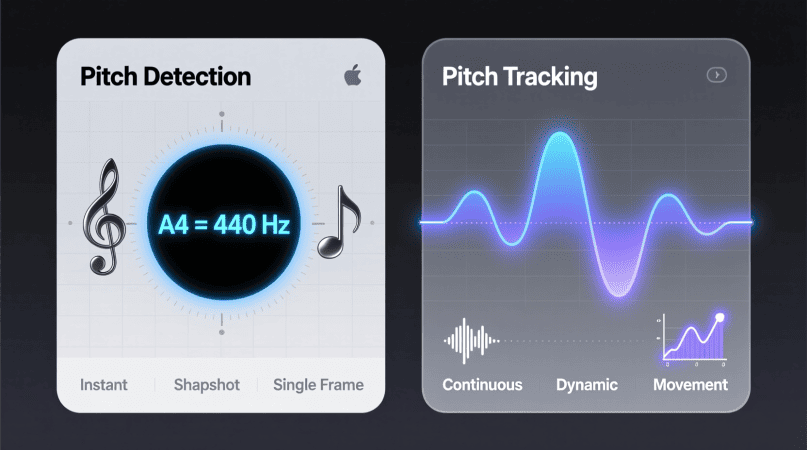
“Pitch detection” and “pitch tracking” are often used interchangeably — but they’re not the same.
Both are core parts of how a pitch detector or voice analyzer works, yet they serve slightly different purposes.
In simple terms:
- Pitch detection finds the instantaneous pitch at a specific moment in time.
- Pitch tracking follows how that pitch changes over time.
Understanding this distinction helps musicians, producers, and developers interpret readings correctly — whether you’re training your voice, tuning an instrument, or analyzing a full audio file.
What Is Pitch Detection?
Pitch detection is the process of determining the fundamental frequency (F₀) of a sound at a given instant.
It’s what your browser-based Pitch Detector does when you sing or play a note — it identifies the dominant periodic pattern in the waveform and converts it to a note name (like A4 = 440 Hz).
How It Works
Pitch detection uses short segments of audio, often called frames (e.g., 20–40 milliseconds).
For each frame, algorithms such as:
- Fast Fourier Transform (FFT)
- Autocorrelation
- YIN
analyze the waveform and estimate the dominant frequency.
The result: one frequency reading for that moment.
💡 Example: You sing “A4” for one second.
Pitch detection might sample it 50 times and say:
440.1 Hz, 439.9 Hz, 440.0 Hz, etc.
Each reading is detection — individual measurements.
Learn more:
👉 How FFT Works in Pitch Detection
👉 Autocorrelation vs YIN Algorithm
What Is Pitch Tracking?
Pitch tracking connects those individual pitch readings into a continuous timeline.
It’s the temporal evolution of pitch — how it rises, falls, and fluctuates over time.
Tracking adds:
- Context: How the frequency changes from frame to frame.
- Stability: Smoothing or filtering of erratic readings.
- Meaning: Understanding vibrato, glides, or phrasing.
While detection gives you data points, tracking gives you a curve — the visual line you see in a Voice Pitch Analyzer.
Detection vs Tracking — Side-by-Side
| Feature | Pitch Detection | Pitch Tracking |
|---|---|---|
| Definition | Identifies the frequency of a sound frame | Connects frequencies over time |
| Output | Individual values (Hz or notes) | Continuous contour or curve |
| Purpose | Instant frequency analysis | Follow pitch movement (intonation, vibrato) |
| Used in | Tuners, real-time tools | Voice analyzers, melody extraction |
| Algorithms | FFT, Autocorrelation, YIN | YIN + smoothing filters, ML trackers |
| Example Tool | Online Pitch Detector | Voice Pitch Analyzer |
Why Tracking Is More Complex
Pitch detection alone can be noisy — especially for human voice or live instruments.
That’s why tracking uses post-processing to make sense of the data.
Techniques include:
- Smoothing filters — average adjacent frames for stability
- Dynamic thresholds — ignore low-confidence detections
- Time-based interpolation — fill short gaps in voiceless frames
- Machine learning models like CREPE or SPICE (neural pitch tracking)
Tracking turns raw detection into something interpretable and musical.
Musical Applications
| Use Case | What’s Needed | Tool Recommendation |
|---|---|---|
| Tuning instruments | Quick, accurate detection | Main Pitch Detector |
| Practicing singing or ear training | Real-time pitch tracking | Voice Pitch Analyzer |
| Analyzing vibrato and pitch control | High-resolution tracking | Vibrato Stability Guide |
| Speech tone and inflection | Smooth tracking curves | Pitch Detection in Speech Therapy |
Technical Example (For Developers)
Here’s how a simplified process might look inside your browser using the Web Audio API:
getUserMedia()captures microphone inputAnalyserNodebuffers waveform chunks- Each chunk is processed via FFT or Autocorrelation → pitch detected
- Detections are plotted over time → pitch tracking curve
- Smoothing algorithms reduce noise and improve accuracy
That’s how tools like PitchDetector.com provide real-time visual pitch graphs directly in your browser — no app installation needed.
Further reading:
👉 Real-Time Browser Pitch Detection Explained
👉 Web Audio API Pitch Detection
Advanced Topic: Machine Learning & Pitch Tracking
Modern pitch trackers increasingly use neural networks instead of purely mathematical algorithms.
Systems like CREPE, pYIN, and SPICE learn patterns of harmonics, tone color, and noise — making them more resilient to complex, polyphonic signals.
However:
- They require more computational power
- They’re often cloud-based (not local)
- Browser detectors like ours prefer local DSP methods for privacy and speed
Learn more: Machine Learning in Pitch Detection
Which One Do You Need?
- If you want instant note accuracy → use Pitch Detection
- If you want to analyze movement, vibrato, or phrasing → use Pitch Tracking
- Most modern analyzers (like ours) do both simultaneously — detection for precision, tracking for interpretation.
Try them both:
🎯 Pitch Detector (Live Mic)
🎤 Voice Pitch Analyzer (Tracking Mode)
PitchDetector.com is a project by Ornella, blending audio engineering and web technology to deliver precise, real-time pitch detection through your browser. Designed for musicians, producers, and learners who want fast, accurate tuning without installing any software.